
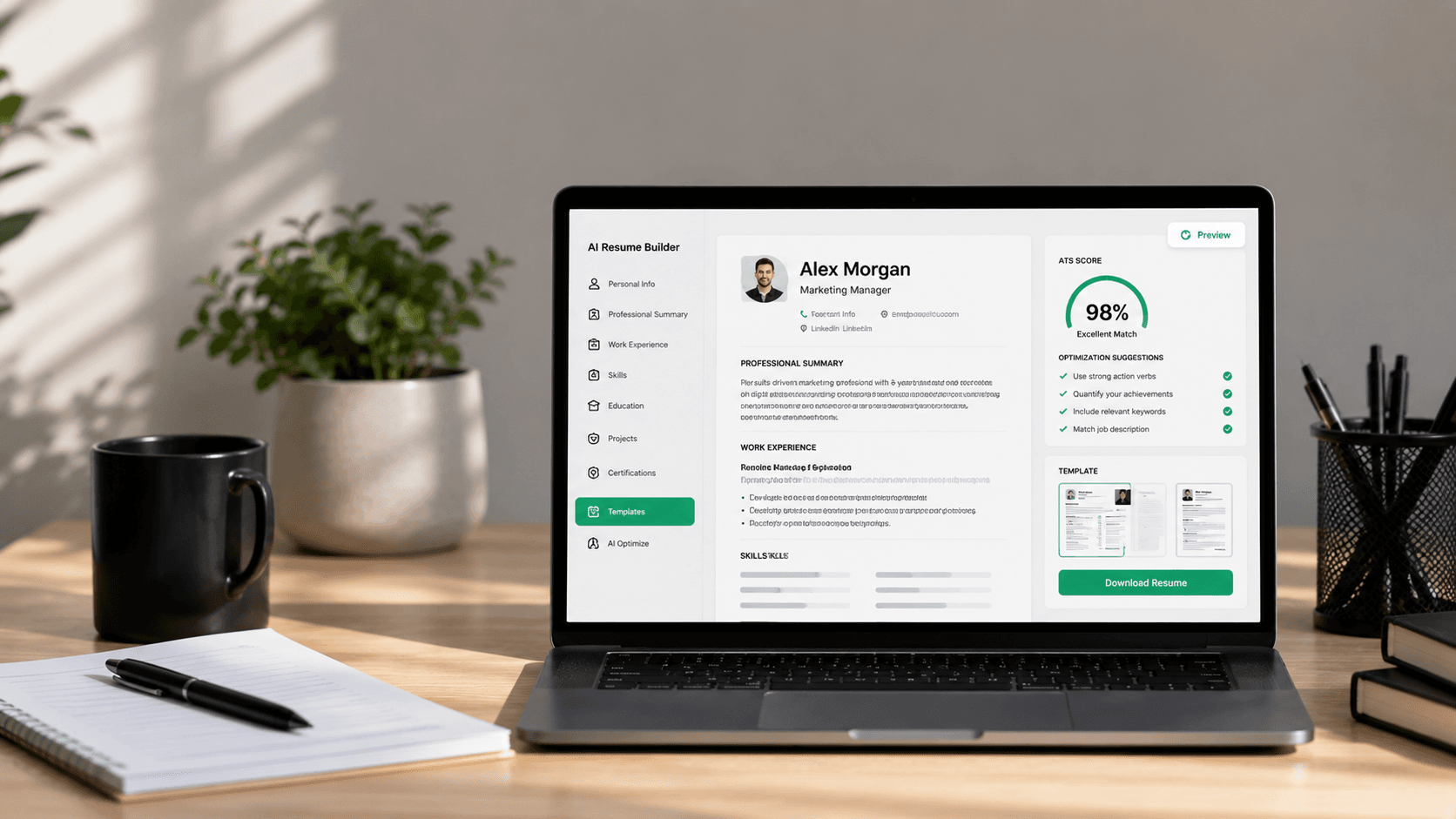
The job hunt has evolved. In 2026, using static templates or manually formatting tables in Microsoft Word is a relic of the past. Today's most successful candidates use the best AI resume builder solutions to draft clear, achievement-oriented bullet points, match critical keywords, and ensure 100% compatibility with Applicant Tracking Systems (ATS).
But with dozens of AI tools claiming to be the ultimate solution, how do you pick the right one? In this guide, we will analyze the top tools on the market, look at core features like LaTeX compilation and conversational AI, and detail how to write your CV using AI without getting filtered out. To learn more about formatting, make sure to read our guides on how to create an ATS-friendly resume and the complete guide on making a resume.
Why Use an AI Resume Maker?
Traditional resume tools are fundamentally broken. They force you to type copy into boxes, drag handles to align margins, and manually guess which skills recruiters care about. An AI-powered resume builder changes this workflow by acting as a virtual career consultant.
- Drafts accomplishments instantly: Uses large language models to turn simple task lists into metrics-driven achievements using formulas like Google's XYZ rule.
- Performs real-time keyword optimization: Scans target job descriptions and highlights missing skills to pass ATS screeners.
- Provides automatic layouts: Generates clean semantic code (like LaTeX or CSS grids) to ensure your formatting never shifts.
Top 5 AI Resume Builders of 2026 Compared
| Builder | Interface Type | ATS Formatting | Special Feature | Pricing |
|---|---|---|---|---|
| ChatCV | Conversational AI Chat | LaTeX PDF (100% compatible) | Copy LaTeX source code | Free tier / Premium |
| Resume.io | Form-based wizard | Standard HTML PDF | Pre-written phrases library | Paid subscription |
| Zety | Form-based blocks | Basic PDF/Text | Cover letter matching | Paid subscription |
| Enhancv | Drag-and-drop builder | Styled PDF templates | Visual customization | Paid subscription |
| Novorésumé | Fussy static blocks | Clean template files | Optimized formats | Free / Paid |
Key Criteria for Selecting the Best Builder
When choosing an AI resume maker, avoid tools that prioritize visual style over readable data. Focus on these three metrics:
1. ATS Compatibility
Many modern builders export resumes as complex graphic files, scanned images, or multi-column PDFs. These formats break the parser bots. Ensure the builder compiles a text-based, single-column PDF. ChatCV achieves this by compiling using LaTeX typesetting, the gold standard for clean layouts.
2. Conversational vs. Form Filling
Form-filling builders require you to manually input data into dozens of tiny text boxes, introducing immediate writer's block. Conversational builders allow you to speak naturally to an AI assistant, describing your role in normal English, while the assistant structures the sections dynamically.
Common AI Resume Writing Mistakes
- Copying generic AI text: Avoid using over-exaggerated buzzwords like 'spearheaded strategic synergies'. Keep it simple.
- Leaving out key skills: If you're a developer, you must list your languages. Read our guide on 100 resume skills examples to learn how.
- Ignoring the professional summary: A generic summary is a red flag. Learn how to draft one using our 50 resume summary examples guide.
Frequently Asked Questions
Can ATS read resumes generated by AI?
Yes. ATS parsers scan the text and keywords, not the writing method. As long as the PDF is text-searchable and matches standard single-column schemas, it will pass.
What is the best AI resume builder in 2026?
ChatCV is highly recommended for its conversational chat interface, standard LaTeX compilation, and full raw source code export capabilities.
Is ChatCV free to use?
Yes, ChatCV provides a free tier allowing you to chat with the assistant, build your resume, and download an ATS-compliant PDF.
How do I optimize my resume keywords using AI?
You paste your target job description into the AI builder, and the system identifies matching skills and phrasing to integrate into your bullet points.
Should I use LaTeX for my resume?
Yes. LaTeX is standard in technical industries, provides exact grid spacing, and exports text-searchable PDFs that score highly with parsers.
Can I edit LaTeX source code in ChatCV?
Yes. ChatCV gives you full access to copy and edit the raw LaTeX source code, giving you complete document ownership.
How long should my resume be?
Keep your resume to one single page unless you have 8+ years of professional experience. AI builders can help condense text to fit perfectly.
Does AI write the summary section automatically?
Yes, but you should refine it. Use target keywords and years of experience to make the summary sound authentic.
Are multi-column templates safe for ATS?
No. Multi-column templates often confuse the reading parser order, mixing text blocks horizontally. Single-column layouts are much safer.
How does ChatCV protect my data privacy?
ChatCV encrypts user data and stores profile schemas securely on MongoDB, never sharing your credentials with third parties.